
Orders & the floor
Take the order on the counter or a tablet. The ticket stays with the table until they pay.
- Dine-in, takeaway, delivery, room service, drive-thru
- Split, merge, hold, retrieve
- Fire to kitchen with a manager PIN for voids
Made for Africa
KwikServe is hospitality software for restaurants, hotels and bars. Take the order, fire the kitchen, dispatch delivery, pay in cash or MoMo, then close the day without a second product.
One tenant · many branches
Roles & PIN control
Shift handover with consent
House accounts & credit
Product
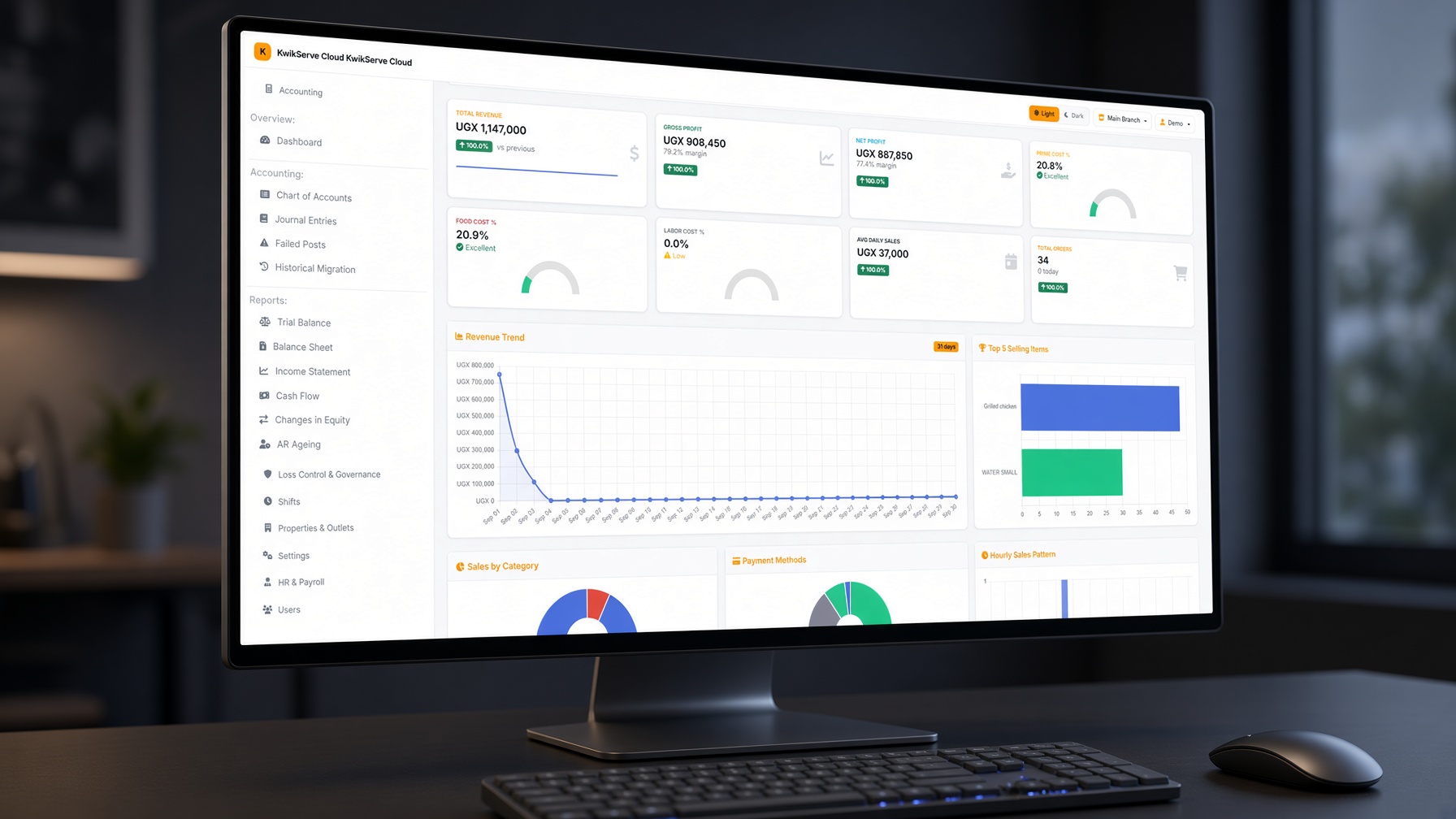
One tenant for the till, the kitchen, the store, the people, and the books. Staff only see what their role allows.
Take the order on the counter or a tablet. The ticket stays with the table until they pay.
Tickets land on the right station without a print dialog in the way.
Zone, rider, and status on one dispatch board — not a side spreadsheet.
Buy in crates, issue in bottles. A sale knocks the recipe, not a guess.
The same staff who clock in can be paid from the same tenant.
Cash, card, and MoMo as separate wallets — then the day lands on the GL.
Who it’s for
Start on one outlet. Add a branch, an outlet, or a hotel F&B without moving house. Menus, stock and shifts stay on the branch you are working in.
Go live
FAQ
No. The till is the front. Kitchen, delivery, stock, payroll and accounts sit on the same tenant so a paid sale can reach the books.
A shop till rings a barcode. A restaurant has modifiers, courses, a kitchen that must see the ticket, split bills, held tables, and a shift that has to close. KwikServe is built for that service, not for a counter that only sells sealed goods.
A typical first outlet is one to two weeks: consult, set up, migrate the menu and opening stock, train the floor, then fire a live ticket. Bigger groups take longer because branches and roles take a day extra, not because the software is locked.
No. KwikServe is the software. Most sites use a touch PC or tablet they already have, plus kitchen printers. We will tell you what works; we do not lock you to a branded handset.
Your own delivery and drive-thru sit on the same ticket as dine-in: zones, fees, a dispatch board, drivers, pay-now or collect at the door. We do not claim a live pipe from every third-party app. If you need a named aggregator, ask on the demo.
Per outlet, quoted for how you trade — Outlet, Business, or Group. Implementation, printers, and SMS credits sit on top. There is no public UGX list yet; send the outlet count and we send a number.
A kitchen that receives the ticket, payments that match how Uganda actually pays (cash and separate MoMo wallets), stock that moves when a plate is sold, a shift that can close blind, and books that can lock. If those are add-ons from five vendors, you will feel it on Saturday night.
POS and fire, the kitchen board or KOT, dispatch if you deliver, then X during the day and Z at close. Menu, GRN, payroll, and period lock happen around the service, not on the pass.
Yes. Mobile money is not one generic pot. Each provider can post to its own wallet account.
Yes. Property → branch → outlet. Users only report on branches they are allowed to see.
The order still places. Staff reprint the KOT. Cloud sites use a small print bridge on the till PC for direct ESC/POS.
Book a demo. We walk the real POS, not a slide deck, then scope your first outlet.
Talk to us
Tell us the outlet type and we will run dine-in, a delivery, and a shift close on the demo tenant.